
Built for iPhone · No food database
The calorie diary you just talk to.
Write your day the way you'd say it out loud — “2 eggs and a black coffee” — and Calbook works out the calories, carbs, protein and fat. No searching. No barcodes. No forty-tap logging ritual.


Coming soon — not yet available to download
Type it, snap it, or ask it — it all lands in the same day.
Logging shouldn't feel like data entry.
Whatever's quickest in the moment. It all lands in the same day.
-
Write it in plain words
“Chicken biryani and a lassi”, “weighed 71.5 today”, “45 min of weights”. Mixed messages are fine — Calbook splits them into the right entries.
-
Or just take a photo
A photo of your plate logs every item on it. A photo of the bathroom scale logs your weight. A treadmill or watch screen logs the workout.
-
Ask it anything
“How much protein have I had today?” Calbook answers from your own numbers — not from a general nutrition table.
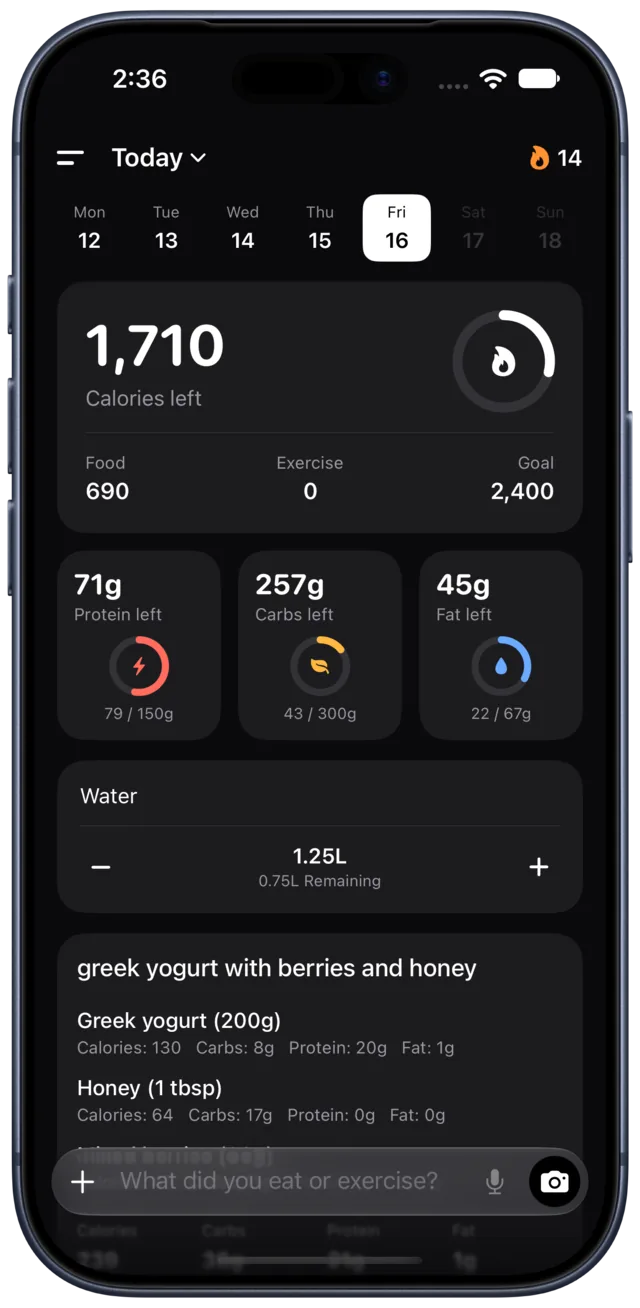
Everything that matters, above the fold.
Calories left, how food and exercise balance out, and three macro rings for protein, carbs and fat. Swipe left or right to move between days.
- Edit any entry, or correct the macros if you know better
- Save the meals you eat constantly as favourites
- Water and weight live on the same page
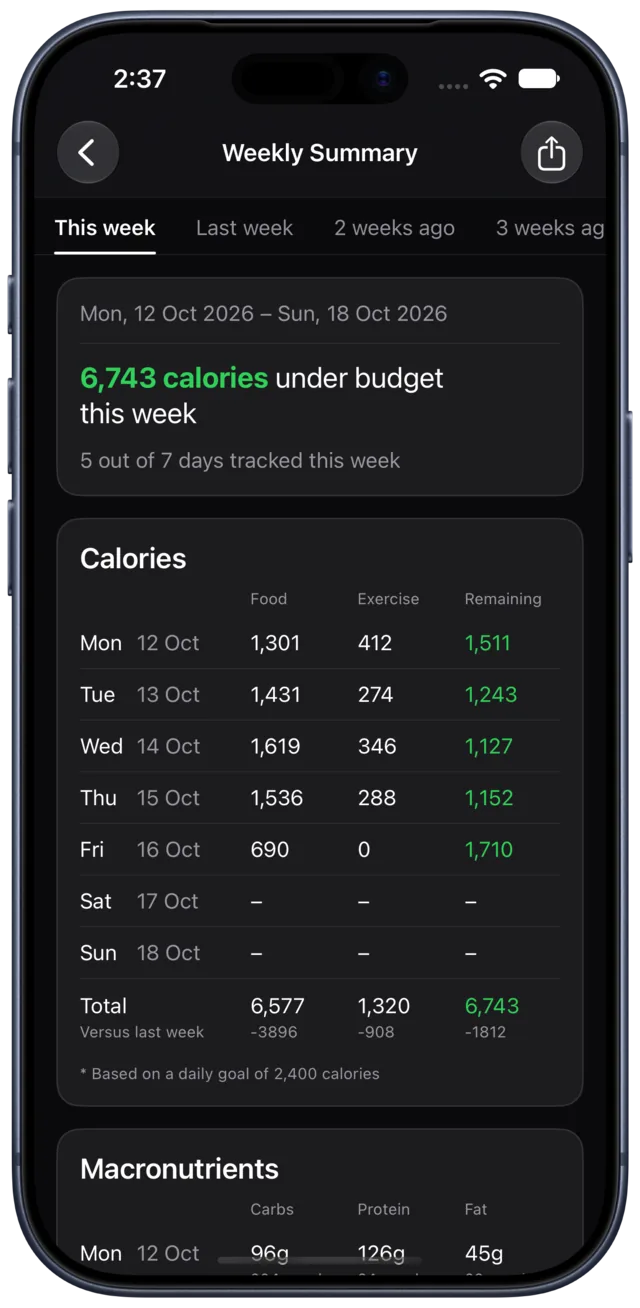
Seven days, one honest page.
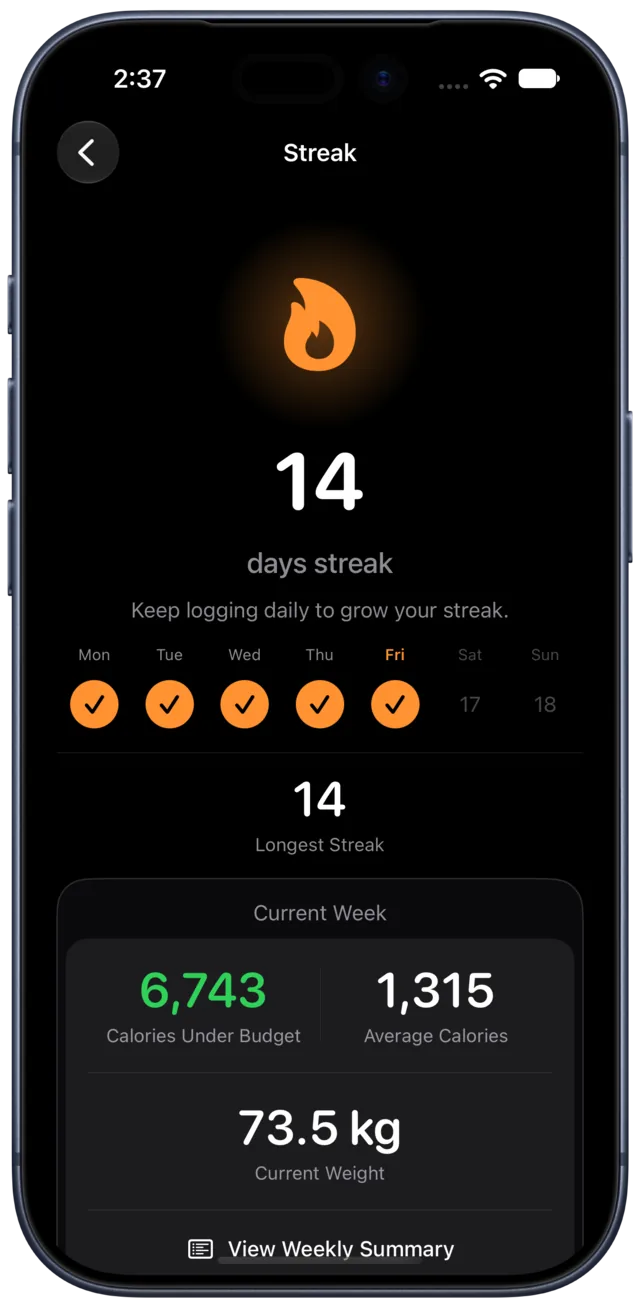
Calories against your budget, macros against your targets, weight change, water, and how consistently you logged. It's the view that tells you whether the week actually went the way it felt.
- Compare against last week, day by day
- Export a PDF report for any date range
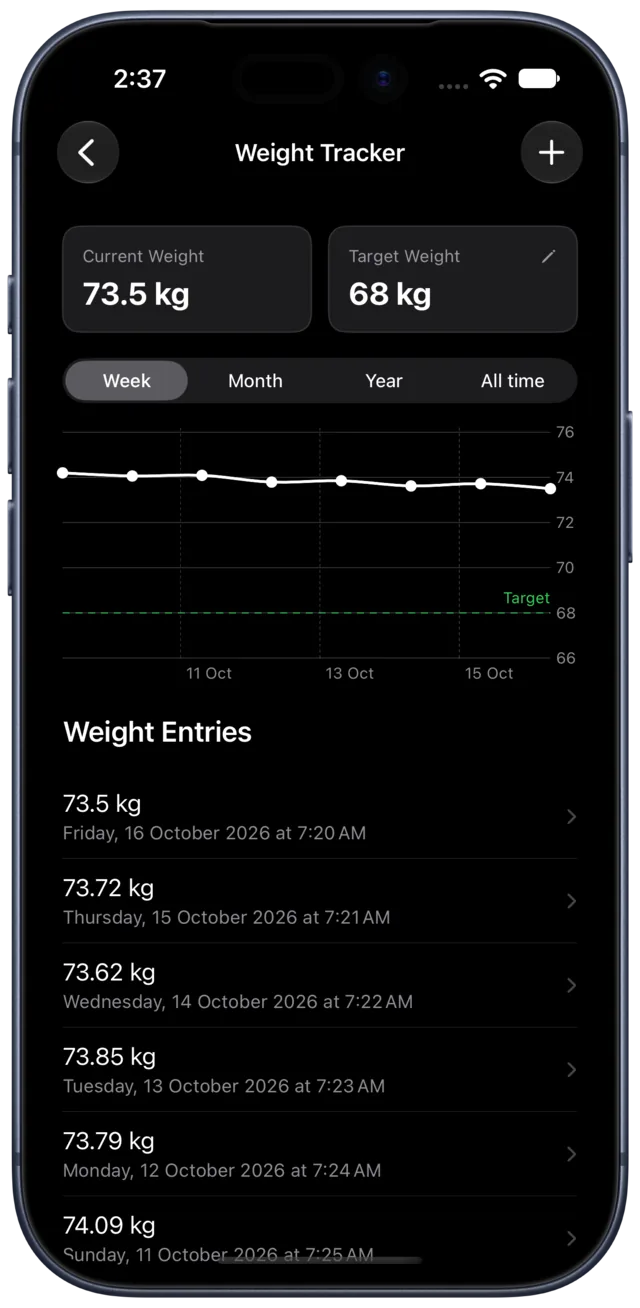
A trend line, not a daily verdict.
Set a target and log whenever you feel like it — by typing a number or photographing the scale. The chart shows the trend, so one heavy morning doesn't feel like a failure.
- Week, month, year and all-time views
- Your target drawn right on the chart
A few more things.
Real screens, not mockups — and not all of them. The rest is yours to find.
-
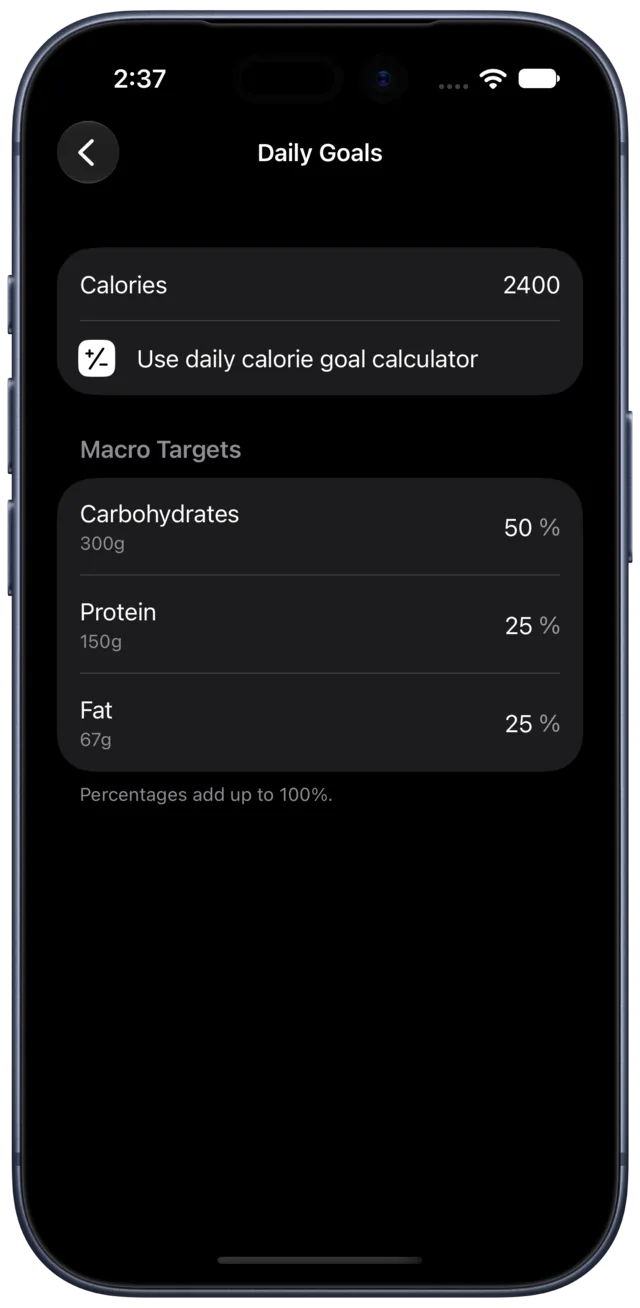
Daily goals
Calories, and the macro split behind them.
-
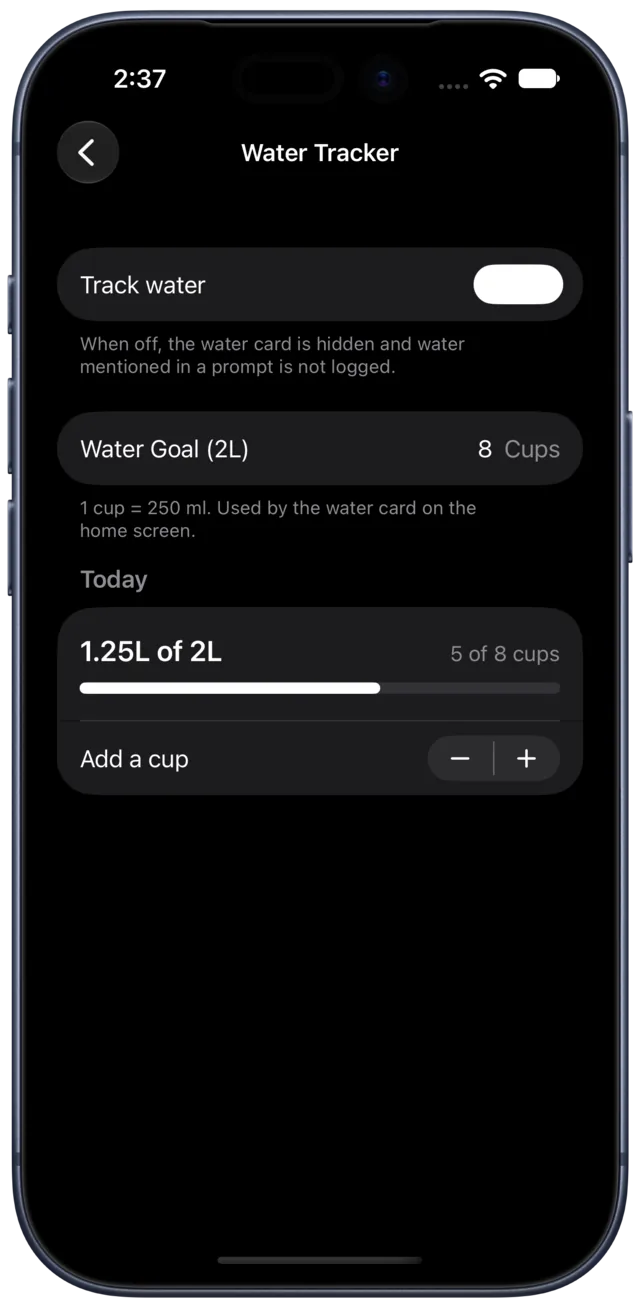
Water
One tap per glass, on the same page.
-
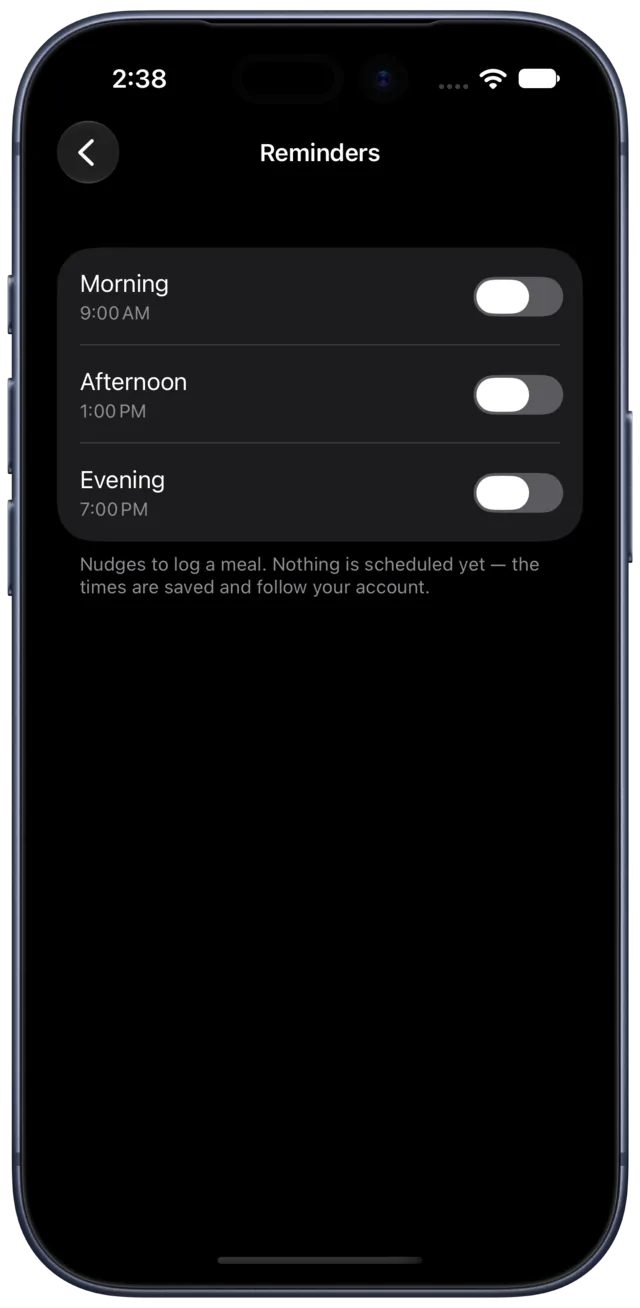
Reminders
A nudge at the times you actually eat.
Three steps, and the third one is the whole app.
-
Tell it about you
Weight, height, age and sex, so Calbook can estimate a sensible daily calorie budget. Set a target weight if you have one.
-
Log the way you'd say it
Type a sentence or attach a photo. An AI model turns it into calories, carbs, protein, fat, calories burned, water or weight.
-
Watch the week add up
Check the day view as you go, read the weekly summary on Sunday, and export a PDF whenever you need the full record.
Coming soon — not yet available to download
Before you download.
Do I have to search a food database?
No. You write what you ate in your own words and Calbook works out the numbers. If an estimate looks off, open the entry and adjust the macros yourself.
How accurate are the calorie numbers?
They're estimates produced by an AI model, and estimates can be wrong — especially for home cooking and restaurant portions. Treat them as a good working number you can correct, not a lab measurement.
What can I log with a photo?
A meal photo logs every item it can see on the plate. A photo of a bathroom scale logs that weight. A photo of a treadmill or watch screen logs the workout.
Can I log several things in one message?
Yes. “Two rotis, dal, and I walked 40 minutes” becomes separate food and exercise entries on the same day.
Can I get my data out?
Export a PDF report for any date range from inside the app. For a copy or deletion of your account data, email us and we'll take care of it.
Is Calbook medical advice?
No. It's a diary and an estimator. It isn't a medical device and it doesn't diagnose, treat or give clinical advice — talk to a qualified professional for that.
Start with breakfast.
One sentence is enough to begin.
Coming soon — not yet available to download